
CRM functions your team actually need
Add more custom functions and views to your Pipedrive.
With the OneClick Pipedrive add-on, all your integrations and automations start with a click of a Pipedrive button.
Features
OneClick functions - what can you do with it?
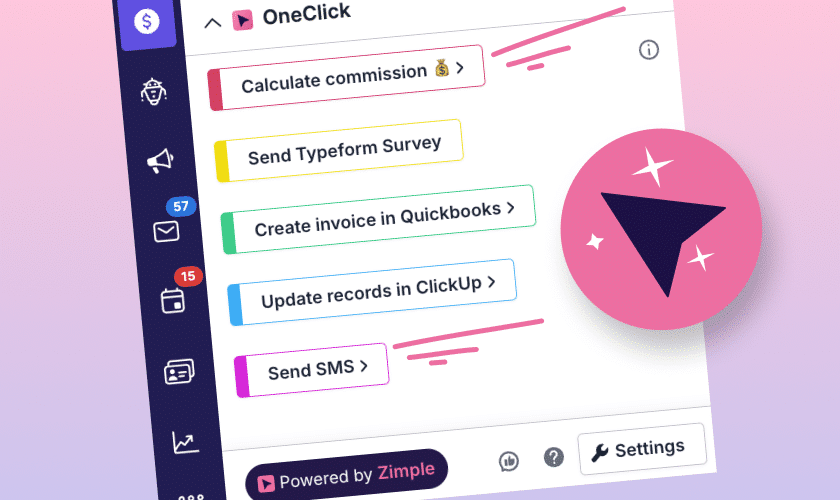
Custom buttons
Trigger intentionally
Create a button for your new or existing workflows. Buttons can be shown in deal, organization or person views. Before a stage or custom field change triggered an automation. Now you can trigger it intentionally with a button.
Data validation
No more failed executions
If your workflow requires certain fields to be filled in, OneClick can validate the fields. You can mark custom fields required and if empty, OneClick will ask user to fill them in. it can even check that they are filled in correctly.
Disposable fields
Extra data as needed
Not everything needs to be a custom field in Pipedrive. With OneClick’s disposable fields feature, you can ask the user to fill in extra information needed for the automation. The field appears only after clicking a OneClick button and data is used to execute the automation.
Add new windows
Show data from other systems
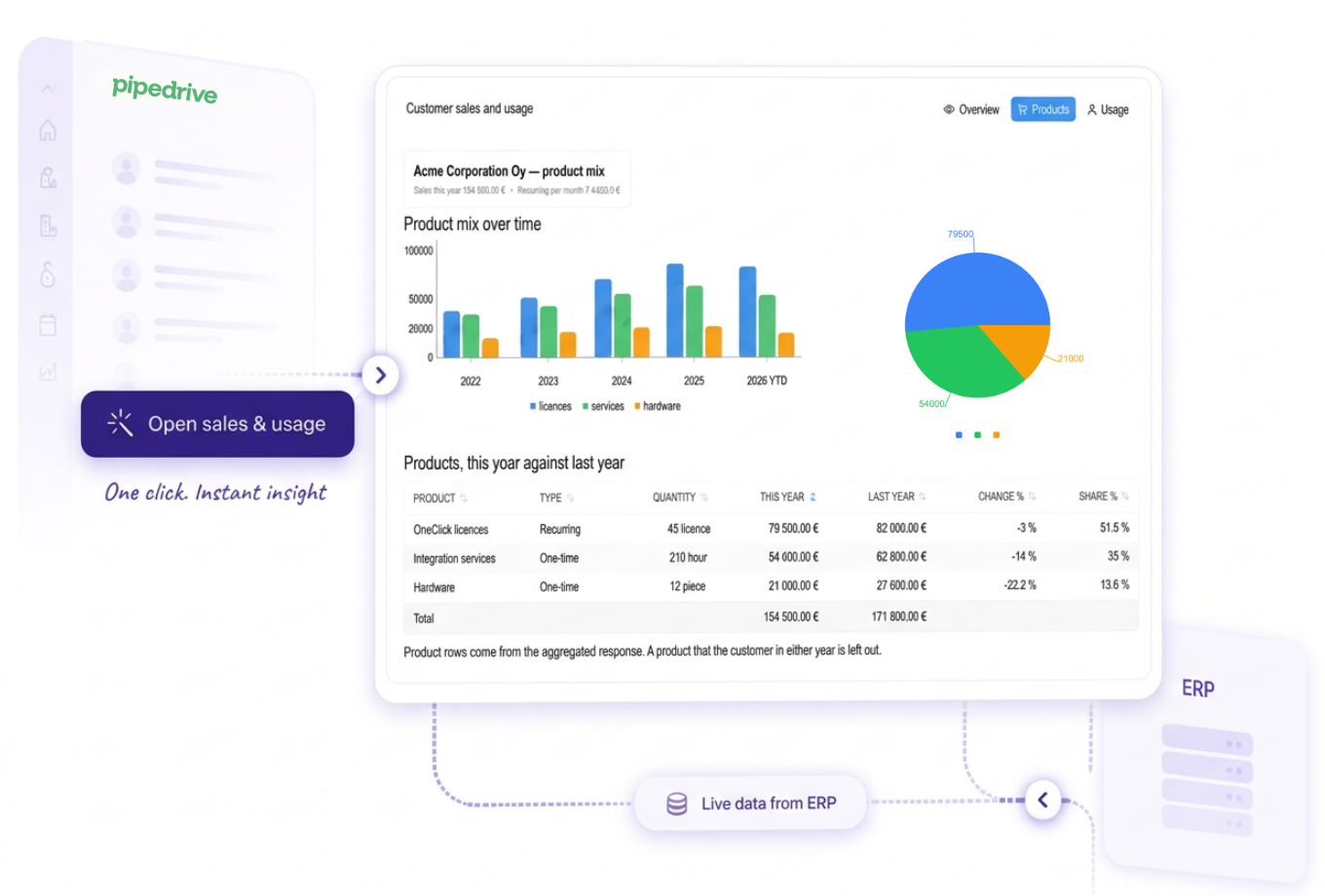
With OneClick, you can open a new window in Pipedrive. This extra view can show any data needed: reports from a BI tool, customer’s invoice history, a form to fill in, customer group sales info… And no front-end coding needed.
Confirmations
Are you sure?
Sometimes users can trigger automations accidentally by changing a field value or deal stage without meaning to. OneClick button can ask the user to confirm that they really want to start the automation. Stop wasting tokens with unwanted executions.
Feedback
Users get to know if it worked
Automations happening in the background are mysterious to users. OneClick will inform the user if the desired automation worked or not. If something went wrong, they’ll know. If it worked, they can happily continue with their day.
Get more out of your Pipedrive
OneClick was built because we needed it ourselves. It gives user two benefits:
- A button to click when they want to start an automation
- Ability to view data from other systems in Pipedrive, without jumping between browser tabs
Triggering your Zapier, Make.com, n8n, Power Automate or similar workflows gets easier and more accurate with OneClick.
All this without a single line of code. Easy, simple and effective.
How to expand your Pipedrive with OneClick
Create and update marketing lists
Create CPQs with customer specific pricing
Customer 360 view
Send invoices from deals
Show ERP information
View invoice history
Pricing
Start with a free Solo user plan and invite colleagues as you need grows. Transparent, simple, and designed to fit your needs—no surprises, just power up your Pipedrive with as many custom action buttons as needed!
You only pay for the users you need!
OneClick Solo
For a single admin user and solo-preneurs-
Add unlimited buttons to Deal, Organization, or Person views.
-
Full access to KB and use cases
-
Add unlimited users
OneClick Teams
For growing teams-
Add unlimited buttons to Deal, Organization, or Person views.
-
Full access to KB and use cases
-
Add unlimited users
Have information you'd like to show inside Pipedrive?
- Invoice history
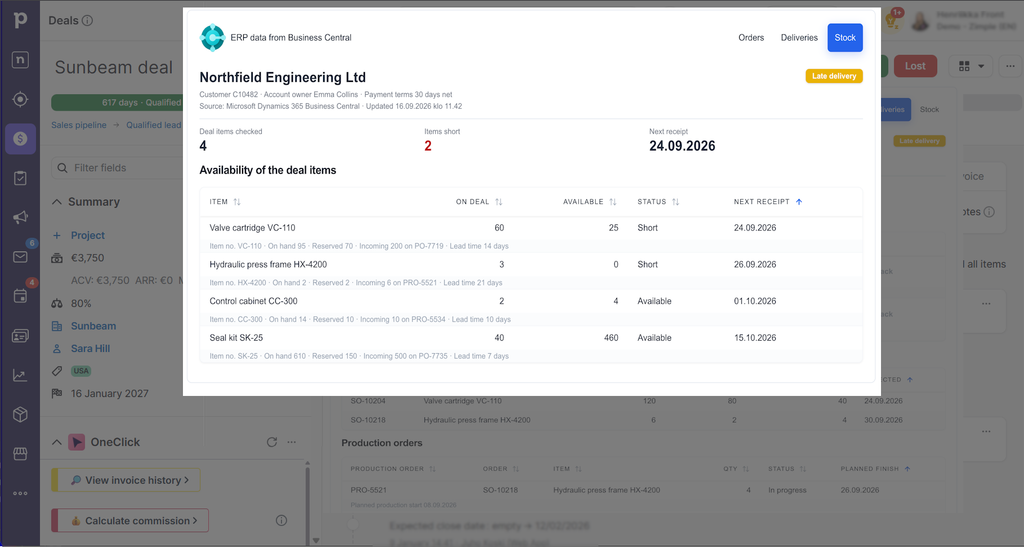
- Production data from ERP
- Group sales data from a BI tool
- An order form reps need to fill in
The answer is Oneclick and it’s Interface feature. With Interface, you can click a button to open a new window on top of Pipedrive. The window can show any information you need, or have a form to fill. Bring data to sales reps, don’t make them chase it!
Why OneClick?
Your users deserve clarity, your admins deserve integrations that don’t fail, and your customers deserve sales reps that stay on top of their work.
OneClick will not only integrate your other systems with Pipedrive, it will even show their data without having to leave Pipedrive.
Don’t settle with clumsy integrations, weird fails in the background and sales jumping between tabs all day long. Use OneClick.
Get help from OneClick experts
These companies are award-winning Pipedrive experts and leading specialists in their field, including OneClick.
If there isn’t a partner available in your country or region, please don’t hesitate to contact Zimple!
EMEA Partners
Rest of the world
For Pipedrive partners
Extend what you deliver to your clients
Add embedded interfaces, floating buttons, integrations and workflows to your Pipedrive customers. Reuse ready-made use cases or co-build customer-specific solutions with the OneClick team. With OneClick, your customers will love Pipedrive.